Author Archives: Francesco Fildani

About Francesco Fildani

Active: updated 5-MAR-2024 (OSAA035) no expiry

Tesla GPU server

Machine learning and neural network course resources.

Postgraduate students can log in our Tesla GPU server in order to run Tensorflow or Pytorch code via jupyter notebook

Log in using Campus credential (User Ex.: AEOU001)

Jupyterhub Tesla GPU

( Help requests can be submitted to our helpdesk  CIM helpdesk  )

After the login the system will show a dropdown menu with two options:

  • Tensorflow version: 2.6.2
  • PyTorch version: 1.11

Choose your preferred environment and SPAWN the container.

Containers can be stopped using the Control Panel button (top right)

Notebook content will persist after a stop/restart.

Each container has 2 Cores and 4 Gb of RAM with 25 Gb of storage.

GPU RAM has not a hardcoded limitation and needs a precise setup before running code against a large dataset, but as rule of thumbs 3 Gb of VRAM are always available.
Continue reading

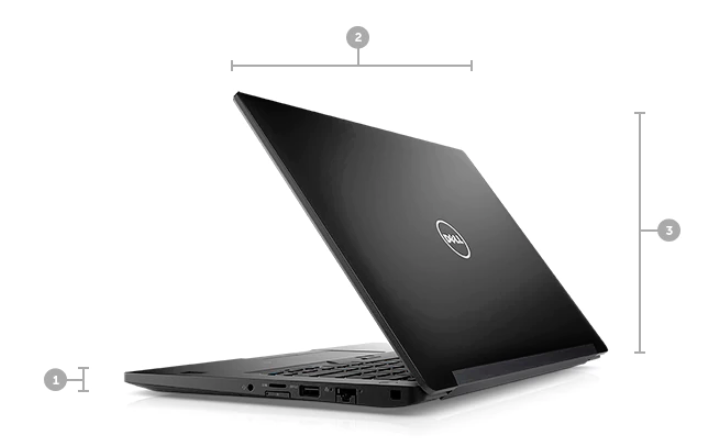
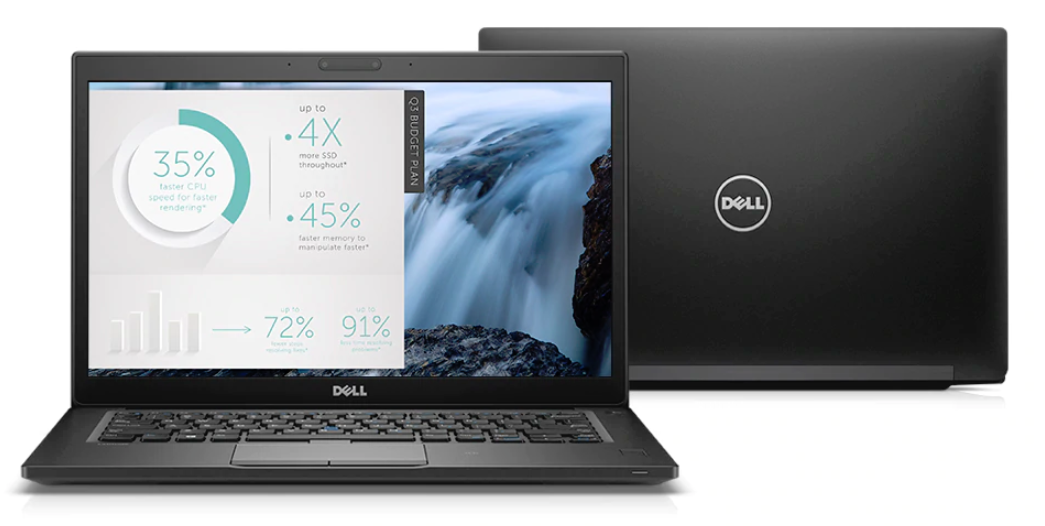
Dell Latitude 7490

Specifications

  • Intel Core i5-8250U Processor Base, Integrated UHD Graphics 620 with Intel® Core™ i5-8250U Processor (Quad Core, 6M Cache, 1.6GHz,15W)
  • 14″ FHD WVA (1920 x 1080) Anti-Glare Non-Touch, Camera & Microphone,
  • Dual Pointing, 83 key with No Smartcard or Fingerprint Reader with Displayport over Type C
  • 8GB, 1x8GB, DDR4 Memory
  • 512G M.2 2280 SATA SSD
  • UK Power Cord
  • Primary 4-cell 60W/HR Battery
  • 65W AC Adapter, 3-pin
  • Intel Dual Band Wireless AC 8265 (802.11ac) 2×2 + Bluetooth 4.2
  • Internal UK/Irish Qwerty Backlit Keyboard

Operating System Support

Available with Windows 10 Pro 1803 or Linux

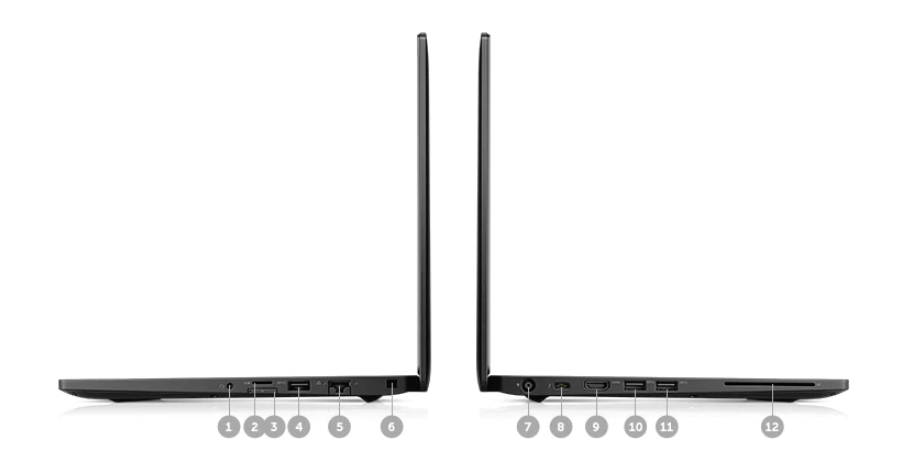
Ports and Slots

1. Audio Combo | 2. U-SD | 3. U-SIM | 4. USB3.0 | 5. RJ45 | 6. Nobel Wedge lock slot | 7. Power | 8. USB Type-C Port | 9. HDMI | 10. USB3.0 | 11. USB3.0 | 12. SC


Link

Welcome at CIM IT induction session

Sehra Narinderpal
Adrian Thomas
Francesco Fildani
Claire Matthews

Program:
1) What we do
2) Clickers (Students attendance Moodle |  Turning)
3) Health and Safety (Healthy back at work)
4) Our IT systems
5) Connection guide (Connection Guide)
6) Linux guide (An Introduction to Linux)
7) How to: the CIM Linux server

Induction PowerPoint (pptx)

This short guide will ease the use of our IT equipment.

We offer IT support for our department’s services only.
You can have support from us using the Helpdesk board at https://cimhelpdesk.rhul.ac.uk or by email at cimhelpdesk@rhul.ac.uk.

Our main system is a Linux Terminal Server used by the students of Computer Science, Information Security, and Mathematics.

It is accessible 24-hours a day from both the Royal Holloway Labs and remotely from home or your University accommodation.

The only exception to this is during the university At-risk period, during which time the server may undergo maintenance.

The At-Risk period is scheduled from 7 AM to 10 AM every Tuesday.

Please read our connection guide to start using our system.

Continue reading

MacBook Pro Retina 13 2017

display_mbp_13_usThe MacBook Pro Retina 13-inch has become the standard laptop within the School of Mathematics & Information Security.
Specifications

  • 2.3GHz dual-core Intel Core i5
  •  Turbo Boost up to 3.6GHz
  • 8GB 2133MHz LPDDR3 memory
  • 256GB PCIe-based flash storage1
  • Intel Iris Plus Graphics 640
    • Dual display and video mirroring: simultaneously supports full native resolution on the built-in display and up to 3840×2160 pixels on up to two external displays, both at millions of colours.
  • 13-inch Retina Display
    • Native resolution: 2560×1600 pixels (Retina)
    • Scaled resolutions: 1680×1050, 1440×900 and 1024×640 pixels
  • 720p FaceTime HD camera
  • Built-in 74.9-watt-hour lithium-polymer battery
    • Up to 10 hours wireless web
    • Up to 10 hours iTunes film playback
    • Up to 30 days standby time
  • Force Touch trackpad
  • WiFi
    • 802.11ac Wi‑Fi wireless networking; IEEE 802.11a/b/g/n/ac compatible
  • Bluetooth
    • Bluetooth 4.2 wireless technology
  • macOS 10.12 Sierra (High Sierra coming soon!)
  • 3-Year Warranty
    • 1 Year Apple Care
    • 3 Years via supplier

For more information, please visit the Apple Macbook Pro page.

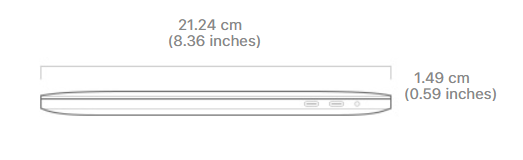
Dimensions

size_mbp_13


  • Height: 1.49 cm
  • Width: 31.4 1cm
  • Depth: 21.24 cm
  • Weight: 1.37 kg


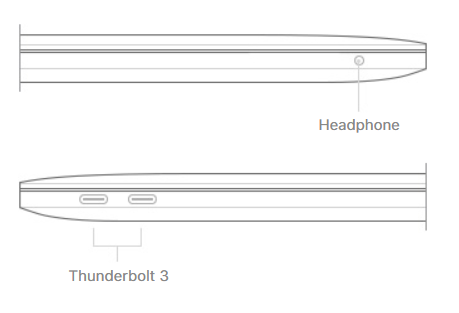
Ports

ports_hero

Left Side

  • 3.5mm jack

Right Side

  • 2x USB-C Thunderbolt 3

In the Box

  • MacBook Pro with Retina display
  • 61W USB‑C Power Adapter
  • USB‑C Charge Cable (2m)

Notes

Once purchased, the specifications of the Macbook Pro Retina 13-inch cannot be upgraded (with the exception of the storage). Memory, CPU, GPU are all integrated into a single board.

MPXU2B/A-4YR